




Please note: This website contains affiliate links. As an Amazon Associate, we earn from qualifying purchases at no additional cost to you. Learn more.
Updated: September 2026 — ChatGPT’s plans have changed quite a bit since we first wrote this, so we’ve rebuilt the comparison below to reflect what’s actually true today.
Had a chance to play around with ChatGPT yet? If you have, you’ll understand why it’s quickly become a favorite tool for many real estate professionals. Today we’re going to give you a quick breakdown of what you get with the ChatGPT free version and what happens when you pay the extra $20 monthly fee for ChatGPT Plus.
In this Article:
- Difference between ChatGPT Free vs. Plus
- How the Memory Feature will save you oodles of time
- The “Hidden Talents” of ChatGPT Plus (i.e. amazing things we bet you didn’t know it could do)
ChatGPT Free vs. Plus Version: What’s the Difference?
Here’s the biggest thing that’s changed since we first wrote this article: the free version isn’t running some watered-down, outdated model anymore. As of 2026, Free and Plus both run on the same core model family for everyday chat. The real differences now come down to usage limits, reasoning depth, and a handful of extra features — not a completely different (and much weaker) brain.
One quick note: OpenAI updates their exact model version numbers frequently (we’ve seen several version bumps just this year), so don’t worry about the specific model name — the tier differences below are the part that actually matters and stays more stable.
| Feature | Free Version | Plus Version ($20/mo) |
|---|---|---|
| Everyday Chat | Unlimited text chats, same core model family as Plus | Same model, plus access to deeper “Thinking” reasoning mode with much higher limits |
| Response Speed & Peak Access | Can slow down or queue during busy times | Priority access, faster and more consistent |
| Web Search | Yes | Yes |
| Image Generation | Yes, but with a low daily cap — great for one-off images, not for batch-creating a week’s worth of graphics | Yes, with a significantly higher daily cap |
| Voice Mode | Yes, limited daily minutes | Yes, higher limits, advanced voice mode |
| Memory Feature | Limited (a smaller amount of saved memory) | More generous saved memory, remembers more across sessions |
| Custom GPTs | Very limited or unavailable | Yes (build a reusable custom assistant for your brand voice, scripts, etc.) |
| Deep Research | Very limited | Included, with reasonable usage limits |
| File Upload & Analysis | Available, limited | Expanded limits |
| Monthly Cost | Free | $20/month |
There are also two other tiers worth knowing about, even if most agents won’t need them: a lighter-weight Go plan (around $8/month) that sits between Free and Plus with roomier limits for casual use, and a Pro plan ($100 to $200/month) built for very heavy daily use, coding, and research — overkill for most real estate businesses, but good to know it exists if you’re a true power user.
One more thing worth knowing: OpenAI has started showing ads in the Free tier in some countries. If that bothers you, it’s one more small reason to consider upgrading.
So, the free version is genuinely capable now, not just a stripped-down demo. But if you’re using ChatGPT for work, a side hustle, or anything that needs consistency and higher volume, the Plus version is still a game-changer — especially the memory feature and the much higher usage caps. It’s been a game changer (and time saver) for my business.
So How Can ChatGPT’s Memory Feature Help Your Business?
Here’s where things get exciting: ChatGPT has this nifty memory feature that can remember details in a conversation session – even if it’s something you chatted about months ago. It’s like having a dear ol’ friend who doesn’t need to be reminded of everything every few minutes. Both Free and Plus have some version of this now, but Plus gives you meaningfully more saved memory before older details start getting dropped.
Here’s why it’s helpful:
- Context Without Repeating Yourself: Let’s say you’re brainstorming blog ideas or working on a long project. ChatGPT can keep track of the details you’ve shared, so you don’t have to repeat yourself constantly.
- Client and Project Tracking: If you’re using it for business, ChatGPT can remember past client conversations within a session. It helps you keep continuity without rehashing details every time.
- Consistent Content: When you’re writing across platforms, it can help maintain the same tone, style, and details, making everything you publish feel connected and professional.
Example:
About four months ago, I was working on a new business idea and was able to ask ChatGPT to help me better define my niche. We had a few brainstorming sessions and then I never “talked” about it again with the AI tool. Then last week, I needed a few blog post ideas for my new business and not only did ChatGPT remember the new business, it also remembered my sub-niches, how to structure the content and use the tone of voice I’d requested many months ago. Truly impressive!
The “Hidden Talents” of ChatGPT Plus Most People Don’t Realize
Now, let’s talk about the magic features most people don’t know about. Beyond basic Q&A, ChatGPT has some surprising abilities:
1. Image Creator
Both Free and Plus can generate images now, but the practical difference shows up fast: on Free, you can create an image here and there, but if you try to sit down and batch-generate a whole month’s worth of social media graphics in one sitting, you’ll hit a usage cap and have to wait before generating more. Plus removes that bottleneck with a much higher daily limit, which matters if you’re the type of agent who likes to batch content creation for the whole week at once.
- Marketing Images: ChatGPT can whip up some fairly impressive images for you to use in your real estate marketing.
- Repurposing Images: You can upload an image to ChatGPT and ask it to either recreate a new version or describe the image and have another AI image generator make one for you.
- Logo Creation: If you aren’t a branding perfectionist (smile) you can have ChatGPT create some decent logos for your business.
2. Translation / Multilingual Skills
- Need to translate or even write something in another language? It’s surprisingly decent at that, on either plan.
3. Creative Brainstorming Partner
- Marketing Campaigns: If you’re planning a new social media or direct mail marketing campaign, ChatGPT is the perfect sounding board. It will ask you questions and offer up ideas you hadn’t even thought of yet.
- Content Planner: If you need 100 posts for social media or 25 article ideas for homebuyers, this tool delivers!
- YouTube Video: Get ideas for new videos to make to grow your YouTube channel and attract more clients. ChatGPT will even write the script for your videos.
4. Custom GPTs (Plus Only)
This is one of the more underrated Plus features. You can build a custom, reusable version of ChatGPT pre-loaded with your brand voice, your go-to scripts, or your market data, so you’re not re-explaining context every single time. Set it up once as your “Real Estate Assistant,” and every new chat starts already knowing how you like things written.
5. Connect to Your Other Tools (MCPs & Connectors)
This is the newest, most advanced capability, and it’s genuinely a big deal for daily productivity. ChatGPT Plus can now connect directly to outside tools and pull in (or act on) real information, instead of just chatting in a vacuum. Here’s what that actually looks like for an agent’s day-to-day work:
- Email: Connect Gmail and ChatGPT can read your inbox, summarize what needs a response, and draft (or even send, with your approval each time) replies for you.
- Calendar: Connect Google Calendar and ChatGPT can check your schedule and help you plan your day. Full booking and rescheduling is still rolling out, so for now think of this as a smart assistant that can see your calendar and advise, more than one that fully manages it hands-off.
- Your CRM: With a bit of extra setup, ChatGPT can connect to tools like HubSpot and look up contact info or tell you who needs a follow-up today. On Plus, this connection is currently read-only, so it can surface the information, but you’ll still make the actual updates yourself.
- Your website: Yes, even a WordPress site can be connected this way, letting ChatGPT help you check on or work with your site’s content directly from a chat.
The technical name for this is MCP (Model Context Protocol) — you don’t need to understand how it works under the hood, just know that it’s the thing that lets ChatGPT plug into your other tools instead of living in its own bubble. Look for “Connectors” or “Apps” in ChatGPT’s settings to see what’s available. This part of ChatGPT moves fast and can require a little more setup than the basics above, so don’t be surprised if it takes some trial and error the first time.
6. Business Strategy
- Defining your real estate niche
- Ideas to scale your business
- Tips to build a real estate team
- Building a plan to move into a new market
7. Personal Tutor
- If there’s a concept you’re struggling with, it can break it down and explain it in simple, understandable terms. It’s like having a patient teacher who’ll explain things as many times as you need.
8. Problem Solver
- Client issues: If you have a challenging or difficult situation with a home seller, just ask ChatGPT how they would recommend handling the issue. (FYI: Just test this one out – we think you’ll be impressed!)
- Declining home sales: If your market is down from last year, ask ChatGPT for some ideas on how to sell more homes.
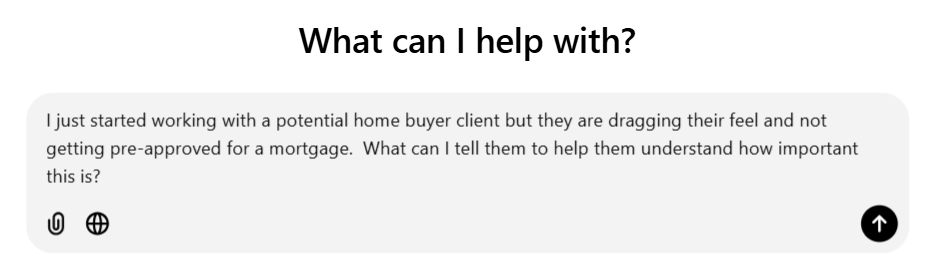
- Real estate scripts: Are you a newer agent and not 100% sure what to say in certain situations? Ask Chat for some recommended scripts! Here are a few you can try:
Frequently Asked Questions
Can ChatGPT read and respond to my emails?
Yes, on a paid plan like Plus. Once you connect Gmail, ChatGPT can read your inbox, summarize what needs attention, and draft or send replies, though it sends one email at a time with your approval each time, not in a batch.
Can ChatGPT manage my calendar for me?
It can read your calendar and help you plan around it once connected, but full hands-off booking and rescheduling is still rolling out and is more reliably available on business-tier plans. For most individual Plus users, think of it as a smart assistant that can see your schedule and advise, rather than one that fully runs it for you yet.
Can ChatGPT connect to my CRM?
Yes, with some extra setup, ChatGPT can connect to CRMs like HubSpot. On the Plus plan, this connection is currently read-only, meaning it can look up contacts and tell you who needs a follow-up, but you’ll still make any actual updates to your CRM yourself.
What is an MCP, and do I need to be technical to use one?
MCP (Model Context Protocol) is just the technical name for how ChatGPT connects to outside tools like your email, calendar, CRM, or website. You don’t need to understand how it works, just look for “Connectors” or “Apps” in ChatGPT’s settings. It’s a bit more setup than the basic features, so expect some trial and error the first time.
Is the free version of ChatGPT good enough for real estate agents just starting out?
Yes, it’s a genuinely capable starting point now, not a stripped-down demo. New agents on a tight budget can use it for writing, brainstorming, and even the occasional marketing image. You’ll likely want to upgrade once you’re using it daily and start bumping into its usage limits, especially for image generation.
How many images can I generate on the free plan before I hit a limit?
OpenAI doesn’t publish an exact fixed number, and it can change, but expect a low daily cap on Free that’s fine for one-off images and not enough for batch-generating a full month of social graphics in one sitting. Plus offers a significantly higher daily limit for this exact reason.
Wrapping It Up
In short, ChatGPT is like having a smart, always-available buddy for whatever you’re working on. The free version is genuinely solid these days, not just a stripped-down demo, but if you’re a daily user who wants higher limits, deeper reasoning, custom GPTs, and no interruptions during peak times, Plus is worth the $20.
If you’ve been on the fence, at least try the free version, and if you’re bumping into its limits regularly (especially with image generation), the upgrade could make your life easier and your work more efficient.
Other Articles You Might Enjoy:
AI Headshot Generator for Realtors
Building Trust Online | Agents Guide to Online Reviews
32 Free Tools Every Real Estate Agent Should Be Using
Please note: This website contains affiliate links. As an Amazon Associate, we earn from qualifying purchases at no additional cost to you. Learn more.