



Please note: This website contains affiliate links. As an Amazon Associate, we earn from qualifying purchases at no additional cost to you. Learn more.
As a real estate agent, you aren’t just selling a house; you’re selling a vision. Empty properties look cold online, sitting on the market longer and dragging down your brand.
Traditionally, physical staging could cost your business $1,500 to $5,000 per property. Today, AI virtual staging allows you to turn an empty room into a luxury interior in seconds for less than the cost of a single lockbox.
One quick note: none of the tools below have a genuinely free tier. If budget is your main concern right now, start with our list of 32 free tools every real estate agent should be using and come back to virtual staging once you have a listing that actually needs it.
But as a busy agent, you don’t have time to play graphic designer. You need tools that are fast, intuitive, and seamlessly convert staged photos into listing presentations and social media content. This pairs naturally with the rest of your listing prep — see our full guide on how to get the best photos of your listings for everything else that goes into a great shoot.
Let’s compare the top AI virtual staging platforms built specifically to help agents scale their marketing and win more listings.
The Agent’s Quick-Reference Comparison
| Platform | Best For | Speed | Agent Advantage |
| Virtual Staging AI | Best Overall for Speed & Revision Flexibility | ~10 Seconds | Unlimited revisions; zero architectural warping |
| Stager AI | Best All-in-One Media Workspace | ~30 Seconds | Full suite (Sky replacement, lawn fix, object removal) |
| Collov AI | Best for Budget-Conscious Agents | ~10 Seconds | Ultra-affordable entry-level tiers with unlimited re-renders |
| Trolto | Best for Social Media & Video Automation | Instant (From Photos) | Turns staged photos into cinematic TikToks/Reels automatically |
| BoxBrownie | Best Pay-As-You-Go Option (No Subscriptions) | 48 Hours | Strictly human-vetted quality; zero monthly overhead |
Please note that some of the AI staging companies listed are affiliate partner links. If you enroll through one of these links, we may earn a commission at no additional cost to you. Thank you for supporting Building Better Agents!
1. Virtual Staging AI: The Champion for Speed and Accuracy
When you are prepping a listing presentation, you need consistency and speed. Virtual Staging AI is a market leader for one massive reason: it bridges the gap between lightning-fast AI automation and structural accuracy.
Many basic AI generators “hallucinate,” warping window frames or changing the layout of the walls. Virtual Staging AI analyzes the spatial depth perfectly, keeping the home’s actual structure 100% intact while rendering beautiful furniture over it in about 10 seconds.
The Agent’s Competitive Edge: It features a predictable subscription model that allows for unlimited regenerations of your base photos. If you choose a “Modern” design style and want to see how “Transitional” or “Scandinavian” looks instead, you can hit redo infinitely without burning through your image credits.
- Turnaround: ~10 seconds.
- Pricing: Starts around $16/month (billed annually), making it an easy addition to your standard marketing budget.
- Verdict: The most reliable, hassle-free tool for agents who want fast, beautiful results with absolute structural accuracy.
2. Stager AI: Best for Complete Photo Correction
If you are taking your own listing photos on an iPhone or dealing with a property that needs a lot of cosmetic help, Stager AI acts like a full-time digital editing team right in your pocket.
Beyond standard virtual staging, Stager AI includes a “Magic Workspace” designed for the everyday chaos of real estate. With a single click, you can swap out a gray, overcast sky for a brilliant sunset, replace patch dry grass with a lush green lawn, or digitally “clean up” scuff marks on a wall.
- Turnaround: Under 30 seconds.
- Pricing: Plans start around $25/month for unlimited staging.
- Verdict: Perfect for agents who want an all-in-one platform to handle staging, decluttering, and curb-appeal fixes simultaneously.
3. Collov AI: Best Value for High-Volume Pipelines
For top-producing agents or teams moving multiple vacant listings a month, Collov AI is celebrated for its incredible affordability and ease of use.
Collov operates with a hyper-intuitive interface that lets you choose from targeted style libraries (like Industrial, Mid-Century, or Luxury) and run instant renders. It also features a “furniture removal” tool, allowing you to take an occupied, cluttered home and digitally wipe it clean before adding new staging.
- Turnaround: 10 to 15 seconds.
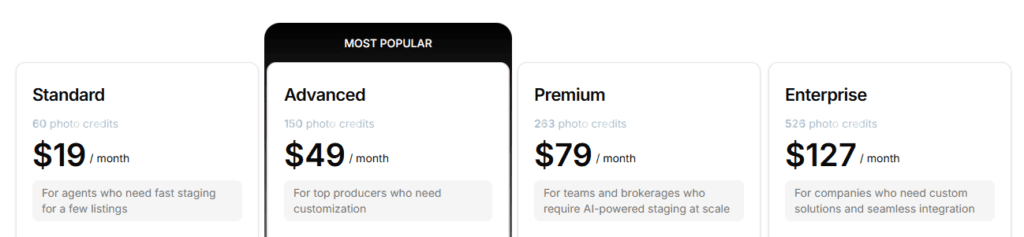
- Pricing: Subscriptions start at $19/month for 60 photo credits, bringing your cost down to literal pennies per image.
- Verdict: If you are a high-volume agent looking for a highly cost-effective way to stage every single empty listing, Collov is an absolute bargain.
4. Trolto: Best for Social Media & Cinematic Video Marketing
Virtually staging a photo is only half the battle—the real magic happens when you use those visuals to attract new buyers and sellers on social media. This is where Trolto shines.
Trolto isn’t a traditional standalone stager. Instead, it is an automated real estate marketing machine. You upload your listing images, and Trolto’s AI sequences them, animating the static rooms into highly engaging, cinematic “fly-through” videos.
- Turnaround: Instant automation.
- Pricing: Starter plans open at $79/month and include automated social posts, property websites, and video creation.
- Verdict: If your primary goal is to use your listings to get more followers on TikTok and Instagram, Trolto turns your staging efforts into automated video marketing.
5. BoxBrownie: The Pay-As-You-Go Option for Low-Volume Agents
If you only do a few listings a year, paying for a monthly software subscription makes absolutely no sense. Enter BoxBrownie, a massive player in the real estate space that skips the automated AI apps and relies on a global team of human graphic designers.
BoxBrownie doesn’t force you into a monthly contract. Instead, they operate on a pure pay-per-image model. You upload your empty photos, pay a fixed rate per image, and their professional editing team manually drops in hyper-realistic furniture.
The Cost Caveat for Agents: While their base pricing is competitive—sitting at a flat $24.00 per virtually staged photo—keep an eye on the add-ons. BoxBrownie is entirely a la carte. If you upload a photo that has clutter or old furniture that needs to be removed before they stage it, they charge an extra $4.00 to $8.00 for item removal. If you also want them to touch up the lighting, that’s another $1.60 for image enhancement.
- Turnaround Time: 48 hours for virtual staging.
- Pricing: $24.00 base price per staged image. No hidden monthly fees, no commitments.
- Verdict: The absolute best option for the occasional listing agent who wants completely hands-off, flawless quality without a recurring software bill.
PRO TIP: Check the math on this one. If you do 3 listings a year and each need three virtual photos, you’ll be spending about $220. This is the same or slightly more than some of the monthly AI virtual staging companies we talked about earlier in the article. If you are a new agent who is a little tech-shy, this is probably the way to go for your first listing!
Which AI Tool Wins the Listing for You?
To build a better real estate business, your tech stack should match your current production goals:
- If you want the most reliable, structurally accurate, and flexible staging tool to play around with different design styles instantly, Virtual Staging AI is your gold standard.
- If you need a tool that can fix patchy lawns, replace gray skies, and stage rooms all at once, go with Stager AI.
- If you want to automate your entire social media presence and turn photos into viral Reels and TikToks, Trolto is your unfair advantage.
Frequently Asked Questions: AI Virtual Staging for Agents
Q: I only do 3 to 5 listings a year. Do I really have to pay a monthly subscription?
A: Absolutely not. If you are a low-volume agent, you should avoid monthly software subscriptions entirely. Instead, look for a “pay-per-image” model.
Platforms like BoxBrownie allow you to pay exactly for what you use ($24.00 base per photo) with no recurring bills. Just keep in mind the a la carte fine print: if a room needs existing clutter removed or lighting enhanced first, those fees stack up. For a small home where you want 4 rooms staged and touched up, expect a one-time invoice around $100 to $120.
Q: Can I use these tools if the house is cluttered with the current owner’s old furniture?
A: Yes, but you need to make sure the software has a “Furniture Removal” or “Declutter” tool.
Platforms like Virtual Staging AI, Stager AI, and Collov AI have dedicated AI removal features. You simply brush over the existing cluttered furniture, the AI digitally “erases” it, repairs the wall or floor behind it, and then layers the new modern staging on top.
Q: What if the AI places a piece of furniture that I absolutely hate?
A: This is why choosing a platform with unlimited revisions or variations is critical. If you are using a subscription tool like Virtual Staging AI, you can hit “regenerate” as many times as you want on that photo for free until you get a layout you like. If you are using a manual or designer-led service like Styldod or BoxBrownie, you can send it back to the editor with specific notes (e.g., “Change the blue couch to grey”), and they will adjust it for you.
Q: Is it legal to use virtually staged photos on the MLS?
A: Yes, but you must follow your local MLS rules. In almost every jurisdiction, you are legally required to disclose that the home has been virtually staged. Some states have made this a real legal matter, not just an MLS courtesy — California’s AB 723, effective January 1, 2026, makes undisclosed virtual staging alterations a criminal misdemeanor. The best practice — and the best way to build a trusted brand — is to place a watermark on the image that says “Virtually Staged” and state it clearly in the MLS public remarks.
Q: What’s the biggest mistake agents make with AI virtual staging?
A: Staging every single photo in a massive listing. You don’t need to waste time or money staging 40 photos. To win online, focus strictly on the “hero” shots: the Living Room, the Primary Bedroom, and the Dining Room/Kitchen. Those are the emotional spaces buyers look at first. Leave the spare bedrooms, hallways, and bathrooms vacant.
Pro-Agent Tip: The “Before & After” Listing Appointment Strategy
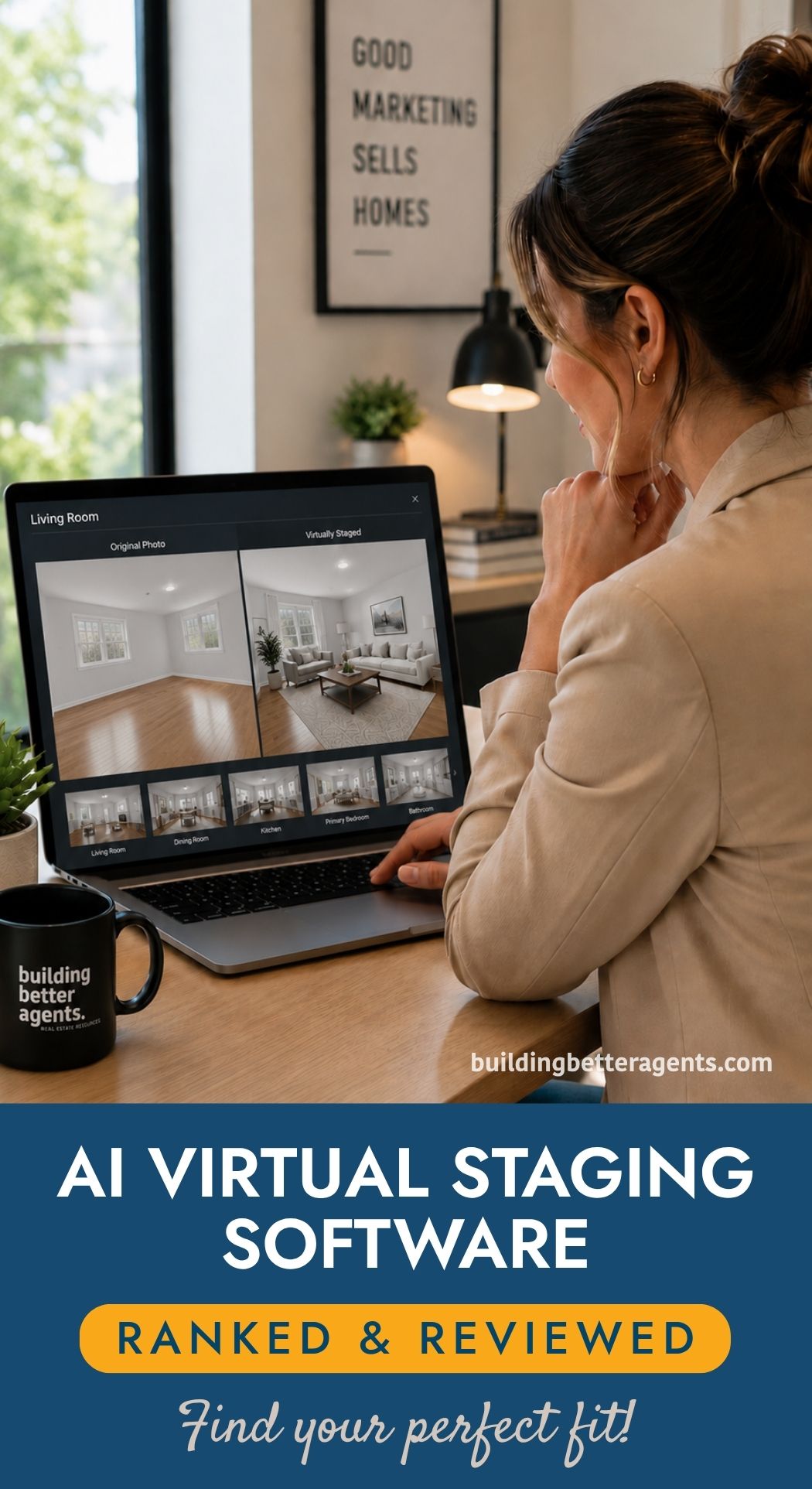
Want to win your next listing appointment? Take a photo of the seller’s current empty or cluttered room, run it through an AI tool like Virtual Staging AI right before your meeting, and print out a side-by-side “Before and After” sheet. Showing a seller exactly how you plan to transform their home digitally to attract buyers online is a foolproof way to prove your value and walk out with a signed contract. It’s an especially strong move once you’ve built some rapport first — see our guide on building genuine connection in a listing presentation for the conversation that should come before you pull out the sheet.
Affiliate Disclosure: Please note that some of the AI staging companies listed are affiliate partner links. If you enroll through one of these links, we may earn a commission at no additional cost to you. Thank you for supporting Building Better Agents!
Please note: This website contains affiliate links. As an Amazon Associate, we earn from qualifying purchases at no additional cost to you. Learn more.